Spotify has become one of the most popular music streaming platforms in the world, offering millions of songs, podcasts, and playlists at the touch of a button. Whether you are a casual listener or a dedicated music enthusiast, creating and managing a Spotify account is essential to fully enjoy the platform. In this article, we will explore everything you need to know about a Spotify account, from setting it up to maximizing its features, and even some tips to make your music experience seamless.
What Is a Spotify Account
A Spotify account is essentially your personal profile on the Spotify platform. It allows you to stream music, create playlists, follow artists, and access podcasts and other audio content. A Spotify account comes in two types: free and premium. Free accounts allow you to listen to music with occasional ads, while premium accounts provide an ad-free experience, offline listening, and higher audio quality.
How to Create a Spotify Account
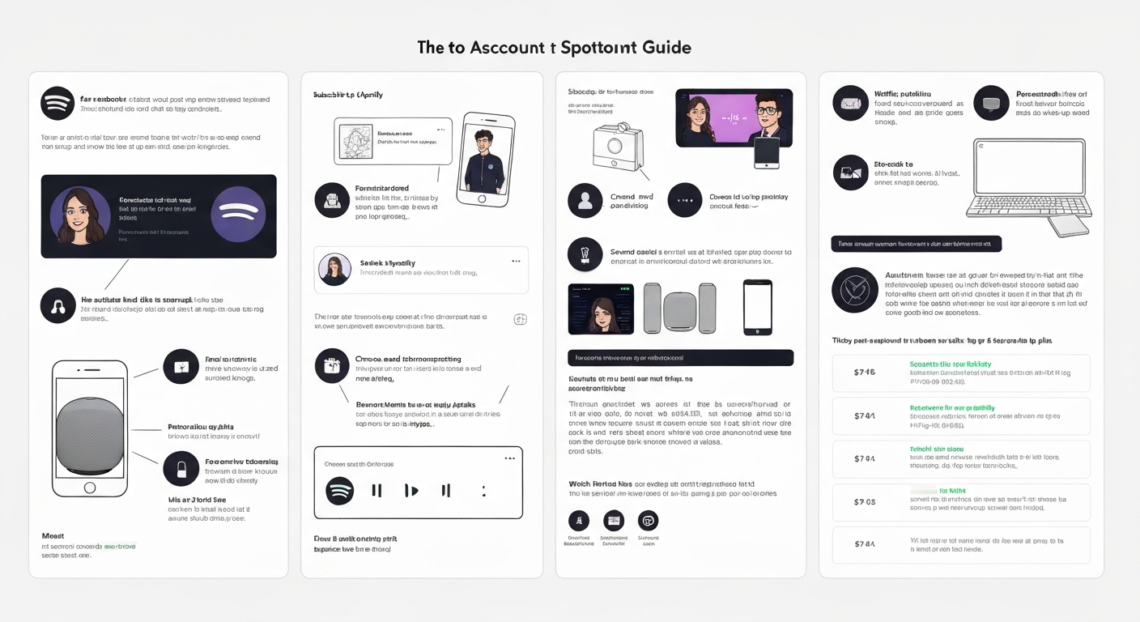
Creating a Spotify account is simple and can be done on any device with internet access. To start, visit the Spotify website or download the Spotify app on your smartphone, tablet, or computer. You will need to provide your email address, create a password, and enter some basic information such as your date of birth and gender. You can also sign up using your Facebook or Apple account for easier login. Once registered, you can immediately start exploring the world of music.
Benefits of Having a Spotify Account
Having a Spotify account comes with numerous advantages. Firstly, it allows you to personalize your music experience by creating playlists based on your favorite genres, artists, or moods. Secondly, it helps you discover new music through curated playlists, algorithm-based recommendations, and social sharing features. Thirdly, a Spotify account provides access to podcasts and other audio content that are exclusive to the platform. Additionally, a premium account offers offline listening, high-quality audio streaming, and an ad-free experience, enhancing your overall enjoyment.
Spotify Free vs Premium Account
Spotify offers two main account types: free and premium. Free accounts are perfect for casual listeners who don’t mind ads and limited features. However, free users have restrictions on skipping tracks and streaming quality. Premium accounts, on the other hand, provide unlimited skips, ad-free listening, offline downloads, and superior sound quality. Premium plans also allow you to connect Spotify to multiple devices, including smart speakers and car systems, making music accessible anywhere.
How to Log In to Your Spotify Account
Logging into your Spotify account is straightforward. Open the Spotify app or website and enter your registered email address and password. If you signed up using Facebook or Apple, simply select the respective option to log in. It is important to keep your login details secure to prevent unauthorized access. If you forget your password, Spotify provides a recovery option through your registered email.
How to Manage Your Spotify Account
Managing your Spotify account is essential to ensure your music experience remains personalized and secure. You can update your profile information, change your password, and adjust privacy settings from the account settings menu. Spotify also allows you to manage connected devices, enabling you to play music on different gadgets seamlessly. Furthermore, you can control your subscription plan, upgrade to premium, or cancel your account if needed.
How to Recover a Hacked Spotify Account
If your Spotify account is compromised, it is important to act quickly. First, change your password immediately. If you are unable to log in, use the “Forgot Password” option to reset it. Spotify also recommends checking your email account for unauthorized activity and ensuring that your email password is secure. Contacting Spotify support can help restore access and protect your account from future breaches.
How to Delete a Spotify Account
If you no longer wish to use Spotify, you can permanently delete your account. To do this, log into your account and navigate to the support or account settings section. Spotify provides an option to close your account, which removes all your playlists, saved music, and personal data. Make sure to download any content you want to keep before deleting your account, as this action is irreversible.
Tips for Maximizing Your Spotify Account
To get the most out of your Spotify account, consider these tips. Organize your playlists to suit your daily routines or moods. Follow your favorite artists and friends to see what they are listening to. Take advantage of Spotify’s algorithm-based recommendations to discover new songs and podcasts. Additionally, connecting Spotify to smart devices such as Amazon Echo or Google Home can enhance your listening experience. Finally, consider upgrading to premium for uninterrupted music and offline access.
Common Issues with Spotify Accounts
Spotify accounts are generally reliable, but users may face occasional issues. Login problems, forgotten passwords, and playback errors are the most common. In many cases, clearing the app cache, updating the app, or reinstalling it can solve these problems. For persistent issues, contacting Spotify support ensures professional assistance. Keeping your account secure with a strong password and avoiding sharing login credentials also prevents complications.
How to Secure Your Spotify Account
Security is crucial for any online account, and Spotify is no exception. Use a strong and unique password that is not used for any other account. Enable two-factor authentication if available and be cautious when logging in on public or shared devices. Regularly monitor your account for unusual activity, such as unexpected playlists or login locations, and update your password immediately if you suspect a security breach.
Frequently Asked Questions About Spotify Accounts
How much does a Spotify account cost?
Spotify offers a free account with ads and a premium subscription that costs vary by region. Premium offers additional features like offline listening, no ads, and better audio quality.
Can I share my Spotify account with family or friends?
Yes, Spotify provides a Family Plan that allows multiple users to share one subscription while keeping personal playlists separate. Sharing individual accounts without the Family Plan is against Spotify’s terms of service.
Can I use one Spotify account on multiple devices?
Yes, you can log into a Spotify account on multiple devices. However, streaming simultaneously on different devices is restricted for premium users unless using Spotify Connect.
What should I do if I forget my Spotify password?
You can reset your password using the “Forgot Password” feature on the login page. Spotify will send a reset link to your registered email address.
Is it possible to recover a deleted Spotify account?
No, once a Spotify account is deleted, all playlists, saved music, and data are permanently lost. You would need to create a new account to use Spotify again.
Conclusion
A Spotify account is your gateway to a world of music, podcasts, and audio content. Whether you choose a free or premium plan, having an account allows you to personalize your music experience, discover new content, and stay connected to your favorite artists. By managing your account carefully, keeping it secure, and exploring its features, you can enjoy a seamless and enriching audio journey. Spotify continues to innovate, and having an account ensures you never miss out on the latest music trends and podcasts.